
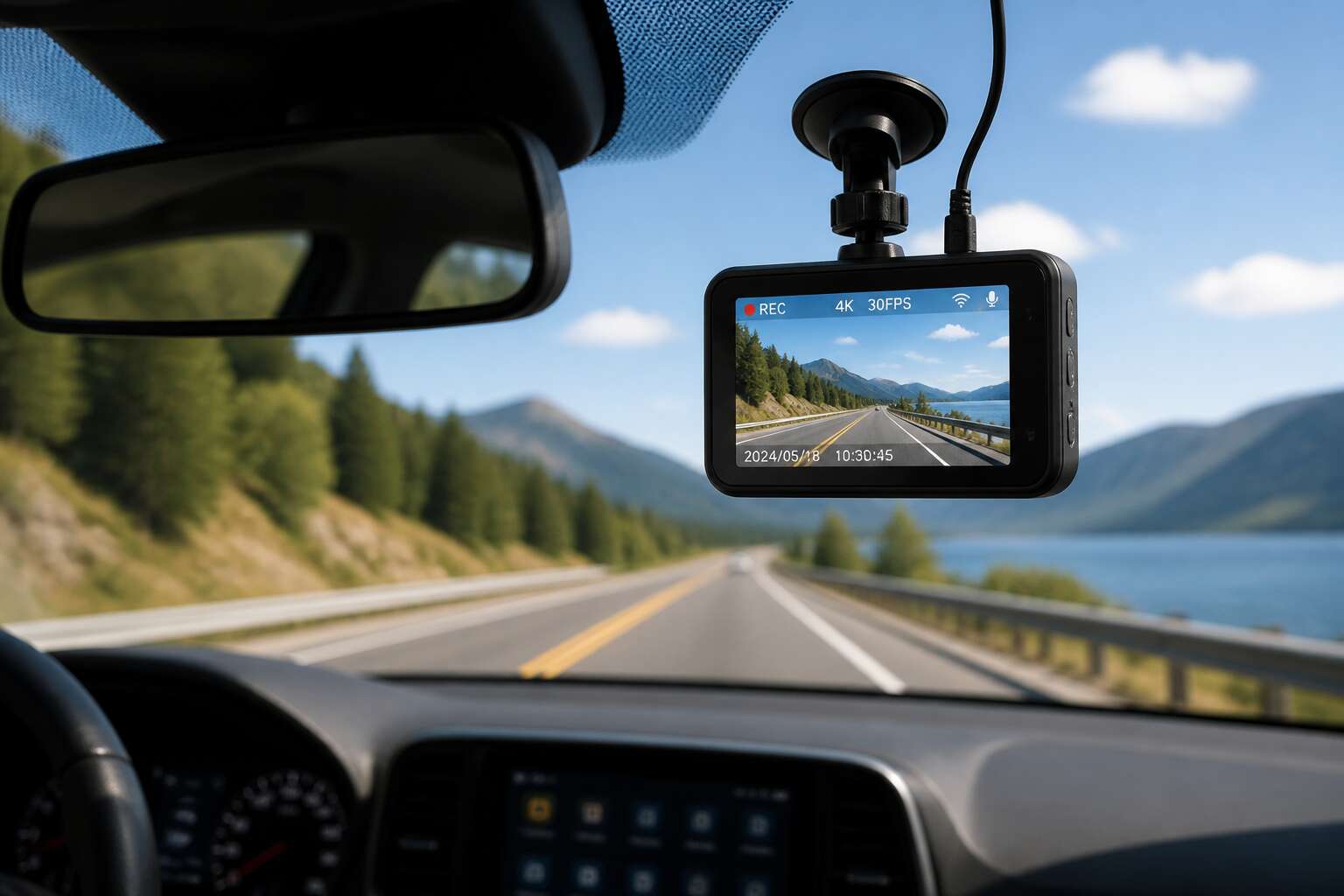
Why Every Personal Vehicle Should Have a Dash Cam
Capturing Incidents and Accidents with Reliable Evidence
On any given Tuesday, a Cape Town driver can witness a truck performing a U-turn from the right lane. These moments are perfect for headlines, but disastrous for your insurance claim. Dash cameras for personal vehicles provide the only unbiased account of what actually unfolded. They capture the precise sequence of events, from the initial brake light to the final crumple zone impact, without panic or selective memory.
Consider the incidents that routinely appear in South African traffic courts.
- Rear-end collisions where both drivers blame the other
- Pedestrians appearing from between parked cars
- Aggressive lane changes that force emergency braking
Each scenario demands evidence. Those dash cameras for personal vehicles supply timestamps, GPS coordinates, and video footage that adjusters accept. Without this record, you negotiate with a stranger’s memory, which rarely favors your bank balance.
Potential Insurance Discounts and Faster Claims
The insurance industry in South Africa has taken notice of dash cameras for personal vehicles. Several major providers now offer premium reductions when you install one. The logic is simple: verified footage reduces their risk.
When an accident occurs, a claim with video evidence often moves through the system in days rather than weeks. Assessors see fault immediately and skip the lengthy investigation phase. Your excess may even be waived when the footage clears you of blame.
Many insurers now advertise these incentives:
- A discount on your comprehensive premium, often between 5% and 15%.
- Protection for your no-claim bonus after a not-at-fault incident.
- Faster claim settlement with fewer documentary requirements.
Protecting Against Theft, Vandalism, and Hit-and-Runs
Returning to your parked car after a shopping trip is a moment of quiet dread. A dented door, a shattered window, or a missing side mirror can appear without warning. With no witness, you are left with a repair bill and a sense of violation. Dash cameras for personal vehicles sit in sleep mode, yet they capture everything that happens around your car.
Built-in impact sensors wake the camera the moment another vehicle bumps, scrapes, or crashes into yours. The footage records the culprit’s license plate, the exact timestamp, and the direction of the escape. For hit-and-run incidents, this gives you a tool that works when you are not there.
- Evidence of deliberate vandalism
- Proof of attempted break-ins
- Records of parking lot collisions
These details give you a position when filing a police report. You have a plate number, a time, and a sequence of events that cannot be argued away.
Monitoring Driving Behavior and Teen Drivers
The moment a teenager takes the wheel, a parent’s mind floods with imagined disasters. I know that feeling! Yet fear alone cannot correct a heavy foot or a distracted glance.
Dash cameras for personal vehicles serve as an objective recorder. They capture every late-night drive, every sudden brake, every moment your child believes they are alone. When you review footage together, you are not spying. You are teaching with evidence.
- Sudden acceleration patterns
- Excessive speed in residential zones
- Frequent hard braking
These patterns appear clearly in the data. The conversation shifts from assumption to fact. Your teen sees their own driving behaviour without argument.
Critical Features to Evaluate When Choosing a Dash Cam
Video Resolution and Image Quality
A grainy video of a license plate is worthless, yet many dash cameras boast impressive specs on paper. When evaluating dash cameras for personal vehicles, video resolution alone tells only half the story. The sensor and lens determine how much light enters and how sharp the image truly is.
Consider these critical elements:
- Sensor size, which impacts low light capture and reduces noise
- Aperture and lens quality for edge-to-edge clarity
- Bitrate, because a high resolution with heavy compression loses crucial details
A 4K camera with a poor sensor will struggle at night, while a 1080p unit with a larger sensor often reads plates better. Frame rate matters for fast motion. I always check the field of view, as wide angles distort distant objects. For dash cameras for personal vehicles, the ideal setup balances resolution, bitrate, and dynamic range. A 60 frames per second capture can smooth out rapid events, but it consumes storage. Look for HDR to avoid blown out skies or darkened shadows. Test the camera in real daylight and darkness before committing. The best dash cameras for personal vehicles reveal clarity when you need it, not just in showroom lighting.
Night Vision and Low-Light Performance
The sun vanishes rapidly in many parts of South Africa, plunging unlit roads into sudden darkness. That is precisely when a dash camera must earn its keep. The secret lies in the sensor’s photodiode sensitivity, which determines how much light it can translate into usable image data. A larger sensor captures more photons and reduces the electronic noise that creates that ugly static effect. Without this, a night recording becomes a murky mess of indistinct shapes.
The lens aperture is equally crucial. A wider opening, indicated by a lower f-number, allows the lens to draw in more available light. This physical characteristic matters more than software gimmicks. Many units claim superior low light performance, yet their glass simply starves the sensor. Additionally, consider the processing engine that handles glare from oncoming headlights or street lamps. A quality camera will manage these harsh contrasts without blowing out the entire frame. For anyone exploring dash cameras for personal vehicles, these night capabilities often determine whether a late night drive leaves you with answers or frustration.
Wide-Angle Lens and Field of View
Field of view determines whether you capture the whole intersection or just half of a traffic light. For dash cameras for personal vehicles, a wider angle covers more lanes, but excessive width distorts edges. A 140 degree lens typically provides balanced coverage for South African roads.
Check the horizontal field of view spec, not the diagonal, because diagonal numbers inflate coverage. Shorter focal lengths widen the angle but reduce sharpness at distance.
A quick comparison list:
- Horizontal field of view in degrees
- Distortion at edge of frame
- Focal length for plate readability
Manufacturers often boast ‘ultra wide’ while ignoring optical trade-offs. The lens geometry decides whether that plate is readable or a blur.
Loop Recording and Emergency Lock Protection
The road has a long memory, but a dash cam’s storage does not. Loop recording overwrites the oldest footage, ensuring the lens never stops watching. For dash cameras for personal vehicles, this is the difference between a silent witness and a blank screen. Yet overwriting brings its own peril. An accident, a hit and run, may vanish under new data. Emergency lock protection freezes that moment, sealing it from erasure. A sudden brake, a collision, and the file is preserved. In South Africa, where load shedding can trigger chaos at intersections, this isn’t a luxury. Consider the following before purchase:
- Does the loop recording offer adjustable segment lengths?
- Does the emergency lock activate automatically via G sensor?
These details decide whether your evidence survives the night.
Built-In GPS, Wi-Fi, and Smartphone Integration
The coordinates of an incident often matter more than the images themselves. Built-in GPS records your exact position, speed, and time, layer by layer. This turns raw footage into a reliable document. For dash cameras for personal vehicles, this feature proves invaluable when a dispute reaches insurance or the courts. Wi-Fi and smartphone integration then take over, allowing instant retrieval of clips directly on your phone. No need to dig through a memory card or carry a laptop.
Examine these details before purchasing:
- Does the GPS data remain accurate under bridges or inside parking garages?
- Can the Wi-Fi handle high resolution video without interrupting the transfer?
- Does the smartphone app function reliably with your specific operating system?
These three capabilities separate a convenient tool from a frustrating one. South African drivers, especially during unpredictable load shedding, benefit from a system that works quietly and quickly.
Parking Mode and Motion Detection
Parking mode is where many dash cameras for personal vehicles prove their worth. The engine is off, yet the lens stays vigilant. Motion detection wakes the unit from standby when someone steps too close. This matters in South African driveways, shopping centre lots, and quiet suburban streets.
Remember that a parked camera draws power from the battery. Without protection, you might return to a car that refuses to start.
Useful features to examine:
- Low-voltage cut-off to protect the starter battery
- Adjustable motion sensitivity to avoid false alerts
- Time-lapse recording for continuous surveillance
A camera with these safeguards watches over your vehicle without turning it into a liability.
Popular Dash Cam Configurations for Cars
Compact Single-Front Cameras
The compact single-front camera serves a clear purpose. While some drivers covet a 360 degree surveillance setup, most South African commuters need a reliable witness for the bumper-to-bumper congestion on the N1. These compact units mount discreetly behind the rearview mirror. Their simplicity is the draw; no complex wiring, no second lens pointing at the back window.
Their small footprint keeps the cabin clear. Consider the typical advantages of this configuration:
- Minimal visual impact on the interior
- Lower purchase price than dual-lens systems
- Easy to transfer between vehicles
This configuration offers a cost effective entry point for dash cameras for personal vehicles. It captures the essential forward-facing perspective without managing multiple memory cards. Indeed, many drivers choose this option to avoid the clutter of dual setups.
Dual-Front and Rear Camera Kits
Rear-end collisions account for roughly one in three crashes on South African roads, yet a standard front-only unit leaves that entire dimension unrecorded. Dual-front and rear camera kits close this blind spot. The rear lens mounts to the back window or number plate bracket, capturing following traffic and reversing incidents in tandem with the front lens.
This configuration appeals to e-hailing drivers, long-distance commuters, and anyone who regularly navigates Gauteng’s high-speed highways. A typical kit includes:
- Two lenses recording simultaneously to separate memory cards
- Wireless transmission or a hardwired cable between units
- Optional cabin-facing views for ride-share operators
When a tailgater misjudges the gap, or when a merging vehicle clips your bumper, the rear camera supplies the second angle needed to establish fault.
These setups demand more installation effort than compact single-front cameras. Still, for drivers who want true fore and aft coverage, dual kits deliver the fullest practical form of dash cameras for personal vehicles without committing to a full 360 degree rig.
Interior Cabin and Taxi-Style Cameras
Interior cabin cameras point the lens where most drivers never look, back at themselves. For e-hailing operators in Johannesburg or Cape Town, this configuration records passenger behaviour, disputes, and incidents that unfold within arm’s reach. A cabin-facing unit mounted on the windscreen captures the driver and front seats, while some systems support additional lenses aimed at rear passengers.
Taxi-style setups combine multiple interior angles with audio recording. These configurations suit drivers who carry passengers regularly, whether for ride-share services or private transport. The footage can clarify who said what, who did what, and in what order events occurred.
Popular configurations include:
- A single cabin-facing lens with audio
- Dual interior lenses covering front and rear seats
- Full cabin coverage with four channels
These dash cameras for personal vehicles extend protection beyond the road ahead, capturing the human element that exterior lenses cannot reach.
Step-by-Step Installation and Setup Guide
Choosing the Right Mounting Location
Choosing the mounting location for dash cameras for personal vehicles requires more thought than simply sticking the unit to glass. The position must balance a clear view of the road with easy access to controls. For most drivers, the sweet spot sits behind the rearview mirror. This placement keeps the lens level and reduces glare. It also stays out of your sightline. Test the angle before fixing the adhesive. You want to capture both lanes and the horizon.
The cable routing matters too. Tuck it along the headliner and down the A-pillar to avoid loose wiring. A tidy install prevents distractions and keeps the system reliable. Remember that heat from direct sun can damage the device. Pick a spot that avoids constant exposure.
Power Connection: Cigarette Lighter or Hardwiring
South Africa’s roads claim over 10,000 lives every year. That number makes the power connection for dash cameras for personal vehicles a matter of consistency, not convenience. A camera is only as dependable as its power source.
A cigarette lighter connection offers simple setup. You insert the adapter, run the cable along the trim, and the camera charges with the ignition. But the socket loosens with heat and vibration. For many South African drivers, the 12V port also charges phones during load shedding, so a dash camera may compete for that access.
I hardwire to the fuse box to solve these conflicts:
- Finding an unused fuse slot on the interior panel.
- Running the cable clear of airbags.
- Connecting the ground wire to a bolt.
This keeps the camera working even with the engine off, but parking mode needs a module. Dash cameras for personal vehicles demand a power strategy.
Memory Card Selection and Insertion
Memory cards rarely get the attention they deserve in dash cameras for personal vehicles. In South African heat, a standard card fails quickly. Select a high endurance card with at least 128GB and U3 speed. Insert it correctly:
- Power off the camera.
- Open the side port.
- Push the card until it clicks.
- Format it inside the camera.
Formatting prevents corruption. Then mount the unit, route the cable, and connect power last. Aim the lens slightly higher than the bonnet line. Check the live view for a clear horizon. Confirm the date stamp and loop recording icons appear. Park and test parking mode. This setup takes ten minutes and saves endless frustration. Reliable dash cameras for personal vehicles depend on this simple routine.
Settings Calibration and Date/Time Setup
A misplaced date stamp can sink an insurance claim before the adjuster even watches the footage. Yet most owners never open the settings menu after the first boot. On a farm road outside Bloemfontein, or in a Johannesburg traffic jam, the camera rarely gets a second glance until something goes wrong.
Set the date and time first. Use GPS time sync where possible, otherwise set it manually. A wrong timestamp destroys credibility.
Work through the calibration menu with a clear head.
1. Choose the highest video resolution your card supports.
2. Enable loop recording in three minute segments.
3. Adjust exposure so the bonnet does not glare.
4. Turn on parking mode if you plan to leave the vehicle unattended.
Aim the lens slightly higher than the bonnet line, confirm the live view horizon, and check that the date stamp appears on screen. Dash cameras for personal vehicles reward this routine with footage that stands up to scrutiny. It takes less time than a coffee stop.
Dash Cam Laws and Privacy Concerns
Understanding Local Recording Laws and Consent
One party’s awareness can mean the difference between lawful evidence and a criminal breach under South Africa’s RICA statute. Dash cameras for personal vehicles operate within a framework shaped by POPIA and RICA. POPIA governs footage with identifiable faces or license plates. RICA requires at least one participant to know a conversation is captured. I’ve seen drivers assume a public road grants unrestricted consent. It doesn’t!
Dash cameras for personal vehicles with cabin microphones might record private exchanges without anyone realising it, creating legal exposure. Disabling audio near residences reduces that risk. Ride-hailing drivers with dual kits should inform passengers that recording is active.
- Public road video: no consent required.
- Private property video: owner’s permission needed.
- Audio capture: one-party awareness is the legal baseline.
Footage obtained unlawfully can be ruled inadmissible in civil proceedings, so consent directly affects evidentiary value. A warrant is generally required before police can seize your memory card.
Privacy Matters and Protecting Other Drivers
The quiet weight of a dash cam extends far beyond your own vehicle. Every frame captured is a fragment of someone else’s life, a pedestrian’s face, a neighbour’s child, a stranger’s moment of vulnerability. This is where the ethical burden of ownership becomes real. Dash cameras for personal vehicles do not discriminate between a serious collision and a private conversation happening on a public pavement. The lens records everything, and that indiscriminate capture carries a moral consequence most drivers never consider.
Privacy matters because the footage is not abstract data. It is a living record of people who never agreed to be part of your personal archive. Under South African law, the Protection of Personal Information Act (POPIA) treats this footage with gravity, especially when faces or number plates are identifiable. A public road may not require consent for video, but that legal allowance does not erase the human weight of what you are storing. The device on your windscreen holds the power to expose, embarrass, or even endanger someone, and that power should give you pause.
Protecting other drivers means recognising that your dash cam is not a surveillance tool for the entire neighbourhood. It is a shield for you, not a sword against others. Consider the everyday reality of traffic, the frustrated hand gesture, the argument at a robot, the tired parent picking up a child. Your camera might capture these moments, and once stored, they exist forever. The ethical driver accepts a duty of care:
– Reviewing footage is necessary to protect your own interests, but sharing it publicly without blurring faces or plates is a violation of another person’s privacy.
– Deleting non-essential recordings regularly reduces the risk of your device becoming a repository of unintended surveillance.
– Informing passengers, especially in ride-hailing scenarios, that audio is being captured fulfills the one-party consent requirement and maintains basic dignity.
The camera is always watching, but you are the one who decides what happens with what it sees. Protecting other drivers is not about hiding wrongdoing, it is about respecting the boundary between public observation and private intrusion. When you upload a clip of a reckless driver, you are also uploading the face of an innocent passenger who had no role in the incident. That collateral exposure is a responsibility you carry every time you press record.
Windshield Obstruction Rules and Legal Visibility
The fine for obstructing your windscreen in South Africa often exceeds the cost of a basic camera. The National Road Traffic Act requires an unobstructed view of the road, and mounting a device in the swept area of the wiper blade is a common violation. Dash cameras for personal vehicles must sit behind the rearview mirror or in a corner that does not interfere with the driver’s line of sight.
Legal visibility is broader than where the lens points. The device should not block the view of traffic signals, pedestrian crossings, or the side mirrors. The police can stop you for a camera that looks minor. Most drivers overlook this when buying dash cameras for personal vehicles, focusing only on specs instead of placement.
- Mount behind the rearview mirror to keep the swept area clear.
- Keep the camera away from airbag deployment zones.
- Check that the display screen does not distract you while moving.
A poorly positioned lens can turn a safety tool into a legal liability, so treat the installation as part of the purchase.
Maintenance and Care for Long-Term Dash Cam Use
Updating Firmware for Improved Performance
Firmware updates are the most important maintenance task. For dash cameras for personal vehicles, these updates refine image processing, extend memory card life, and fix bugs that surface after months of use. I have seen units suffer from random reboots simply because the owner never checked for a new firmware version.
Heat and dust cause the most damage. A lens that looks clean can still harbor micro-abrasions from improper wiping. Parked in the South African sun, the internal temperature can exceed what the manufacturer quoted. Regular checks of the device’s status lights and periodic formatting of the card inside the unit, not in a computer, keep the system honest.
For dash cameras for personal vehicles, firmware longevity depends on daily treatment. Power surges from a dirty cigarette lighter socket corrupt the software. Loose cables cause intermittent disconnects that leave corrupted files. Updating requires a stable power source and a patient hand.
Cleaning the Lens and Housing Safely
The quiet enemy of dash cameras for personal vehicles is not the crash, but the creeping film of everyday life. Atmospheric silt, microscopic road grime, and the invisible residue of insect impact settle on the lens, softening the sharp edges of your recorded truth. Cleaning this glass requires a deliberate ritual, not a casual swipe of a shirtsleeve. A dry wipe grinds those particles into the coating, creating permanent hazing that no firmware update can repair.
The housing deserves equal attention, as it protects the delicate electronics within. Dust accumulates in the ventilation slots, forming an insulating blanket that traps the South African heat. Use a soft, dry microfiber cloth for the body. For stubborn smears, slightly dampen a corner with distilled water or isopropyl alcohol, then dry immediately.
For the lens itself, follow a simple sequence:
1. Use a blower or gentle brush to remove loose particles first.
2. Apply lens cleaning solution to a fresh microfiber cloth, never directly onto the glass.
3. Wipe in a single, circular motion from the center outward.
4. Inspect under bright light for any residual streaks before your next drive.
The mounting arm and suction cup also collect grime that compromises stability. A clean grip prevents the shuddering that blurs footage, a failure often mistaken for a hardware fault. Treat this maintenance as a monthly habit, especially during the dusty winter months or after long trips on gravel roads.
Dealing with Extreme Weather Conditions
South African summers turn parked cars into heat traps, and the windscreen can exceed the melting point of cheap plastic. Dash cameras for personal vehicles must endure this daily. The internal battery degrades fastest in extreme heat, so park with the lens shaded or install a windshield sun reflector.
Winter mornings bring a different menace: condensation. A rapid temperature shift fogs the optics, blurring the footage you need. The adhesive mount also weakens when the dashboard expands and contracts, so test its grip monthly. For long-term use:
- Power cycle the unit once a month, as this clears the processor.
- Inspect the power cable for cracking near the 12V socket.
- Choose a memory card rated for wide temperature ranges.
Moisture inside the housing signals a failed seal. Replace the unit before circuit corrosion sets in. Dash cameras for personal vehicles are only as reliable as their environment, so provide stable conditions.
Monitoring Storage Health and Replacing Cards
Your dash camera’s memory card works without attention. It writes and rewrites continuously, and every sector has a finite lifespan. South African drivers who rely on dash cameras for personal vehicles must treat storage as a consumable item, not a permanent fixture.
Monitor the card’s health through the camera’s error messages or a computer scan. A card that fails mid-journey is worthless. Replace cards every twelve to eighteen months, or sooner if recordings corrupt.
- Check for file corruption monthly.
- Format the card inside the camera every few weeks.
- Carry a spare card in the glovebox.
That last habit has saved me more than once. A road trip with a dying card produces nothing but frustration, and dash cameras for personal vehicles depend entirely on the storage you give them.
0 Comments