
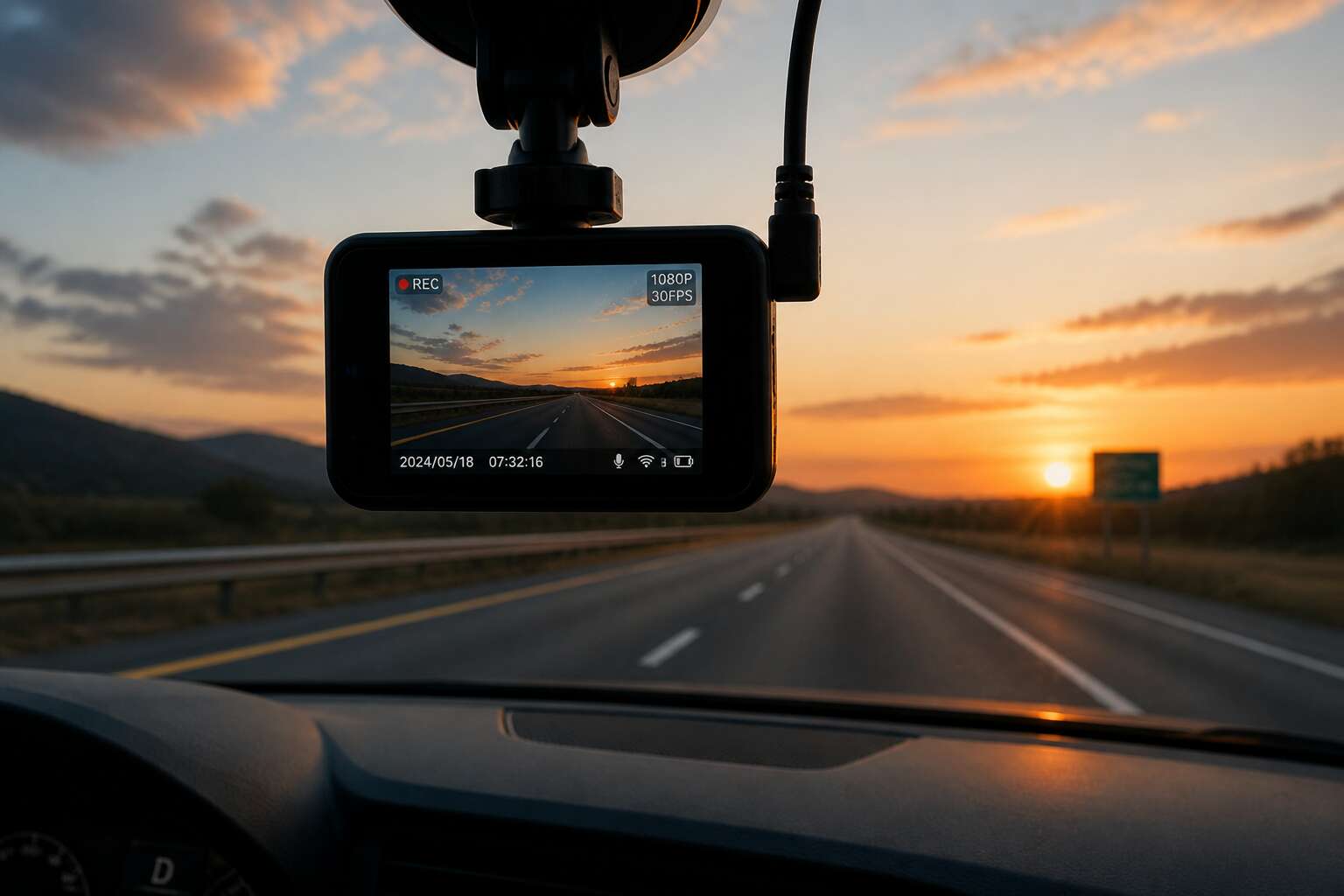
The Essential Hardware Inside a Dash Camera
Understanding the Lens and Field of View Specifications
The lens records every detail. To grasp dash cameras how do they work, examine the optic. Focal length determines what the sensor captures. A shorter focal length gives wider view but smaller objects. Trade offs define your evidence.
Field of view, or FOV, is the angle seen. Most units range from 120 to 170 degrees. Wider angles cover more lanes but distort edges. A 140 degree lens balances coverage and clarity. Options include:
- 120 degrees for plate capture.
- 140 degrees for balanced driving.
- 170 degrees for full perimeter.
Aperture matters! A lower f number, like f/1.8, lets in more light. This helps at night when shadows hide detail. I have seen cameras fail because the lens could not open wide enough.
The Role of the Image Sensor in Video Quality
Your dash camera’s performance hinges on a few internal parts. The image sensor is the heart; it converts light into electronic data. A larger sensor with larger pixels captures more light, reducing noise and preserving detail at night. The processor then turns that raw data into compressed video. Speed matters here, a slow processor creates lag and dropped frames.
Here is the essential hardware inside a typical unit:
- Image sensor, the light-capturing chip
- Processor, the video encoder
- Flash storage for footage
- Power management circuitry
To understand dash cameras how do they work, focus on the sensor’s role. It dictates resolution, low light ability, and color fidelity. Most models use a CMOS sensor, which offers decent quality for a low cost. Without a capable sensor, everything else is wasted.
Processors and Chipsets: The Brain Behind the Capture
The processor is a sullen gatekeeper. To understand dash cameras how do they work, look past the lens and sensor. The chipset receives raw light data and imposes order, compressing frames into H.265, filtering noise, and calibrating bitrate. A weak processor stutters during frantic events, offering only blur. Thermal endurance also lives here. Under South Africa’s brutal sun, the processor must resist throttling or the recording simply dies.
- Encoding video streams in real time
- Managing overwrite cycles on memory cards
- Guarding power cuts to prevent file corruption
Without this cerebral core, the sensor’s vision remains a scattered phantom. Every stored moment, every crash’s proof, passes through this silicon judgment. The processor, in silence, decides what survives.
Internal Memory, MicroSD Cards, and Storage Limits
A dash camera without storage is a storyteller with no voice. Internal memory on most units is a fragile buffer, holding only a few minutes of footage before the controller demands a MicroSD card. When you ask dash cameras how do they work, the answer often hides in the overwrite loop: the card records, fills, then silently erases the oldest segment to make room. This cycle, repeated thousands of times in a single year, pushes cheap cards to their breaking point.
Card speed and endurance dictate what survives. A slow card stutters when the bitrate spikes during high-speed driving, and that is the exact moment you need clarity. High endurance cards, built for security cameras, tolerate the heat and constant rewriting far better than standard variants. Storage limits also depend on format: a 64GB card stores roughly six hours of 1080p footage, but 4K halves that time completely.
Built-in Display vs. Wi-Fi Module Differences
Under the South African sun, the plastic shell of a dash camera grows hot enough to soften windscreen adhesive. Inside, a handful of components handle the load. Dash cameras how do they work starts with these small elements, like the built-in display, which gives instant confirmation that the lens is level and the recording light is blinking. That screen is a comfort, but it drains power and occupies space.
The Wi-Fi module answers differently. It creates a short-range network that links the camera to your phone, so footage can be previewed and downloaded without touching the MicroSD card. The question of dash cameras how do they work is answered by these two approaches to moving data. Consider what sits behind that shell:
- Image sensor inside the lens housing
- Processor running a video codec
- Power regulator for ignition spikes
- Display or Wi-Fi module, sometimes both
The Mechanics of Recording: From Capture to Storage
How the Power-On Sequence Instigates Continuous Recording
A single boot failure can erase the evidence of an entire collision! That is why the question of dash cameras how do they work begins with the power-on sequence. When the car’s electrical system fires up, a capacitor delivers a stable voltage to the processor. The firmware bypasses any menu and directs the sensor to begin capturing within one second.
The continuous recording loop then runs as a strict cycle. Each frame is compressed, buffered, and written to the microSD card sequentially. When the card reaches capacity, the oldest footage is overwritten unless protected by a G-sensor event.
- The ignition signal activates the power management IC.
- The bootloader initializes memory and lens driver.
- Recording commences without user confirmation.
Any delay in this sequence creates a dangerous gap in the footage stream, compromising the camera’s purpose.
Loop Recording and the Management of Footage Overwrite
Loop recording runs on a simple rule: the camera deletes to keep recording. The microSD card stores footage as indexed clips. When the card fills, the system flags the oldest clip for overwrite, and new footage takes its place within milliseconds.
The order is strict:
1. The file system scans for the oldest unprotected clip.
2. The processor marks that space as reclaimable.
3. New frames write over the reclaimed space.
A G-sensor event overrides this. A collision triggers a file lock. That clip becomes immune to deletion, and the camera writes around it until manually cleared.
The management of footage overwrite depends on the card’s endurance. In South African summer heat, storage controllers throttle their write speeds. If the card cannot keep up, the processor drops frames to preserve the loop. Dash cameras how do they work becomes a test of thermal tolerance alongside software logic.
G-Sensors and the Automatic Preservation of Critical Events
At 30 frames per second, each minute of driving generates 1,800 distinct frames. Most are discarded by the loop, but the camera does not care. Light enters the lens, strikes the image sensor, and becomes electrical charges. The processor compresses those charges into video data and sends it to a microSD card. Dash cameras how do they work? They simply record what happens, with cold consistency.
The G-sensor changes this. An accelerometer measures sudden deceleration. When a collision occurs, it signals the processor to lock the current video file. That clip becomes immune to deletion. The camera writes around it until a human intervenes. In South Africa, where an accident becomes a court case, this preservation is a safeguard. The moment of impact survives, unforgiving and intact.
Understanding Resolution, Frame Rate, and Bitrate Interplay
Every second of driving is a negotiation with data. At 1080p, a camera juggles over two million pixels per frame. The processor compresses them using a codec, but compression is a trade. The question of dash cameras how do they work here becomes a question of balance between resolution, frame rate, and bitrate.
Resolution defines the grid of detail. Frame rate dictates temporal smoothness. Bitrate controls how much information survives compression. Push one, and the others shift.
- Higher resolution demands more storage and processing power.
- Higher frame rate smooths motion but reduces low-light performance.
- Higher bitrate preserves quality but fills cards fast.
On a typical Johannesburg road, a high frame rate catches the cyclist, but a low bitrate smears his shirt. A high bitrate preserves texture, yet without enough resolution, the plate stays illegible. Spec sheets matter more than hype.
The Function of the Capacitor in Safe File Finalization
Every recording is a race against power loss. The sensor captures frames, the processor compresses them, and the file streams to storage. A capacitor sits between the power source and the memory. When ignition cuts, the capacitor releases a burst of energy, allowing the camera to finish writing the file header and safely close the recording. This prevents corruption.
Consider what happens without it. The camera dies mid-write, leaving a blank file. Dash cameras how do they work reliably in this context? The capacitor is the answer. It also lets the camera save loop metadata and preserve the last clip.
- Capture light via the lens and sensor.
- Compress frames with the processor.
- Finalize the file using capacitor power.
That final stroke matters for any footage you might need later.
Advanced Technologies That Enhance Dash Camera Functionality
GPS Logging and How It Embeds Location Data into Video
Statistics from the Road Traffic Management Corporation show that over 10,000 fatal crashes occur on South African roads each year. A dash cam does more than record events; it provides evidence. Understanding dash cameras how do they work involves more than just pointing a lens at the road. The GPS logger inside the unit silently works in the background, decoding satellite signals to determine your precise position. This data is then layered onto the video file, creating a permanent, invisible map of your journey.
This embedding is seamless. The GPS coordinates, along with the date, time, and speed, are stamped directly into the footage data stream. You can later use specific software to view your route on a digital map, a process that recreates your entire drive in precise detail. The result is an undeniable timestamp and location verification that stands up to scrutiny.
For fleet managers or those dealing with insurance claims, this feature is invaluable. It provides the context a standard camera lacks, proving exactly where an incident occurred. It also gives drivers a clear record of their travel history, which is useful for expense reports or simply verifying a route taken. The accuracy of this system makes it a core component of dash cameras how do they work in modern vehicles.
The practical benefits are clear:
– Route verification for logistics and delivery services
– Accurate speed data to dispute or confirm traffic violations
– Solid alibi evidence for legal disputes or insurance claims
The video feeds and location tracks work together to create a complete picture. The silent hum of the GPS chip ensures that every second of footage is tied to a specific point on the map, transforming a simple recording device into a comprehensive travel log.
Collision Detection and the Algorithm Behind G-Sensor Activation
The G-sensor is a small accelerometer that constantly measures lateral and vertical forces. When a collision occurs, it detects abrupt changes, sometimes spiking several times the force of gravity. The algorithm behind this uses a threshold to separate genuine impacts from normal driving bumps, preventing false triggers. For South African roads, where potholes and erratic drivers are common, this precision matters deeply. To understand dash cameras how do they work at this level, consider the decision making process:
1. The sensor samples acceleration up to 100 times per second.
2. A sudden spike crosses the configured threshold.
3. The firmware locks the recording to prevent overwrite.
4. The file is saved as an event in a protected folder.
The system maintains a rolling baseline to adapt to road conditions. A gravel road’s constant vibration won’t activate it, but a hard stop or impact will. That algorithmic intelligence turns a simple recorder into a reliable witness.
Parking Mode and Motion Detection Triggers
Parking mode keeps the dash camera functional after you leave the vehicle. A motion detection trigger activates recording when movement crosses the lens. Not every passerby sets it off! The firmware evaluates changes in pixel patterns to separate a pedestrian from a speeding car.
South African drivers contend with car guard shuffles and unexpected bumps. When another vehicle makes contact, the G-sensor logic locks the file before overwrite. Dash cameras how do they work in power saving mode comes down to balancing vigilance and battery life:
- Impact detection watches for sudden physical contact
- Motion detection monitors an adjustable activity zone
- Low voltage cutoff protects the battery during load shedding
Parking mode reveals another side to dash cameras how do they work. It manages these triggers without draining the car battery, recording enough to capture the event, then returns to standby.
How Radar and LiDAR Add Depth to Standard Recording
Radar and LiDAR are changing what a dash camera can perceive. Standard recording captures light, but these advanced sensors interpret space and movement. Radar emits radio waves that bounce off objects, measuring distance and speed with remarkable accuracy. LiDAR uses laser pulses to construct a detailed three-dimensional map of the surroundings. This data gives the processor a depth of information that a lens alone cannot provide.
For South African drivers, this means smarter event detection. The system can measure the precise closing speed of a vehicle behind you, predicting a potential collision before impact. In parking mode, false triggers become rare because the algorithm distinguishes a falling leaf from a person approaching with intent. These sensors also sharpen the response to sudden braking, giving the software time to analyze conditions.
– Radar calculates the velocity of moving objects.
– LiDAR maps physical dimensions in real time.
This is another layer of how dash cameras how do they work, where proactive awareness enhances passive recording. The fusion of these technologies turns a simple camera into a guardian with depth perception. Advanced models integrate these systems seamlessly, ensuring they operate without excessive power consumption. The result is protection that understands its environment, not just records it.
Voice Control and the Integration of Digital Assistants
Talking to your dash cam used to seem odd. Now voice control makes it a safety feature. The onboard microphone array isolates your speech from road noise, and the processor maps commands to save clips or switch modes. Integration with digital assistants like Google Assistant adds capability, letting you query traffic or share footage hands-free. This raises the question: dash cameras how do they work with voice integration?
Some models even link to your smartphone’s assistant for real-time updates. Common voice commands include:
- Save current clip
- Lock incident
- Take a photo
- Toggle parking mode
This hands-free interaction reduces driver distraction, a critical issue on South African roads.
The Role of Cloud Connectivity and Dash Cam Telematics
The average driver asks dash cameras how do they work when reviewing a crash. The modern answer extends beyond the windscreen. Cloud connectivity shifts footage from a local file to a remote archive. Your device uploads clips automatically, which matters when a microSD card is damaged in a collision.
Telematics adds another layer. The camera communicates with your insurer or fleet manager, transmitting speed, route, and braking data. This creates a verifiable record of driver behaviour. Here is what cloud-enabled dash cams commonly report:
- Incident timestamps and GPS coordinates
- Battery health and connection status
- Driver behaviour summaries
Loading these records to a secure server protects your evidence from tampering. For South African drivers, an accident report can rely on data that was never in your hands.
Power Sources, Installation, and Wiring Configurations
Hardwiring into the Fuse Box for Continuous Power Supply
Power comes from either the cigarette lighter socket or direct battery connection. The lighter socket is simple but leaves a visible cord and often drains nothing when the car is off. For continuous power supply, you must hardwire into the fuse box. This requires running a wire from the camera to an add-a-circuit tap, then seating a new fuse in the proper slot.
Installation begins by locating the fuse box under the dashboard. You need to identify an ignition-switched circuit for parking mode, and an always-on circuit only if you want continuous recording. Ground the black wire to a bolt. For anyone wondering dash cameras how do they work without a hardwired setup, the answer remains either the lighter socket or a dedicated line.
- Choose the correct fuse size to avoid overloading
- Zip-tie all wiring away from moving pedals
- Test each circuit with a multimeter before securing
Battery-Powered Dash Cams: Limitations and Advantages
Typical consumer battery dash cams manage two to four hours of parking mode per charge. That short window shapes how dash cameras how do they work in practice, especially for drivers who want overnight coverage without hardwiring.
The advantages are clear. You can install one in minutes, move it between vehicles, and avoid any contact with the fuse box. I have used this setup in rental cars, and it works fine for daytime drives.
- No permanent modification to the vehicle
- Simple USB charging from any port
- Portable across multiple cars
But the limitations stack up. South African heat degrades lithium cells quickly, and every charge cycle reduces total capacity. For continuous recording, a battery powered unit will let you down. You need a wired power source for that.
The Impact of Temperature on Power Components
To address dash cameras how do they work, we must examine the power source first. In South African conditions, cabin temperatures can exceed 70 degrees Celsius. This heat stresses every component, from the voltage regulator to the capacitor bank.
Wiring configurations fall into two camps. Hardwired setups draw from the fuse box, providing stable current. In my experience, they handle voltage dips better. Cigarette lighter adapters remain simpler, but their contact points corrode faster in humid coastal regions.
- Direct fuse tap with inline fuse
- Ignition-switched circuit for parking mode
- Always-on circuit for timed shutdown
Each configuration impacts thermal load. Continuous power generates resistive heat, which multiplies the ambient stress. A professional installation routes cables away from the dashboard’s heat sink area; many DIY jobs ignore this. This process changes with temperature.
Lens Positioning and Field of View Considerations During Installation
Power source selection dictates more than current stability. The cable’s path from fuse box or adapter determines where the lens can physically mount. A short wire forces a low windshield position, shrinking the field of view. To grasp dash cameras how do they work, trace the wiring before fixing the bracket. The lens must clear the hood line yet capture both lane edges.
Wiring along the headliner shifts the camera higher, improving horizontal coverage. Vertical tilt then needs careful adjustment, since the dashboard’s curvature affects the frame. Every installer knows the sequence: secure power, then aim optics.
- Fuse tap cables run shorter, limiting placement.
- Longer adapter cords allow flexible positioning.
- Ignition-switched routes require slack for lens angles.
Dash cameras how do they work with different wiring? The alignment changes with each configuration. Test the image after any rerouting.
Cable Management and Reverse Parking Guide Connections
The fuse box promises eternal power, yet the cable run decides placement. For reverse parking guide connections, the signal wire must reach the tail lamp without crossing engine bay heat. I trace every path twice before cutting. The rear camera’s red lead splices into the reverse light, only after confirming which wire holds the positive feed.
Dash cameras how do they work with such disparate power sources? They adapt to each voltage drop. A hardwired installation needs a piggyback fuse, while cigarette lighter adapters demand careful routing beneath the centre console.
- Trim removal reduces strain on the cable jacket
- Cable management tucks slack behind the A-pillar airbag zone
- Ground connections must bite bare metal, not painted surfaces
The final connection waits until the ignition is off. One misplaced splice, one pinched cable, and the parking guide remains dark when you reverse into the Johannesburg night.
Managing, Transferring, and Protecting Dash Cam Video Files
Data File Formats and Codec Compatibility
Every hour of driving generates hundreds of megabytes of data, yet one power surge during a file write can corrupt the entire video. That is the brutal reality of dash cam storage. The codec dictates how the footage is compressed and finalized. Most units rely on H.264 or H.265, with the latter offering double the compression efficiency for high bitrate 4K files. If your computer lacks the proper codec, you will not be able to view the footage, a common failure point.
Transferring files from the microSD card is where most users lose their sanity. Removing the card while the device is still writing, even seconds after shutdown, often results in a corrupted index. Wi-Fi transfer is slower but safer, as it forces the camera into a dormant state. For long road trips across the N1, the manual card removal method is still the most reliable, provided you safely eject the device first.
Protecting the footage requires more than just retrieval. The FAT32 file system used on most cards caps single file sizes at 4GB, which forces the camera to split recordings into multiple segments. This creates a vulnerability during the split instant. A G-sensor trigger writes a protected file to a separate folder, but the buffer sequence still uses the main storage. Use a high endurance card with a V30 speed rating to mitigate write failures.
– Always format the card inside the camera, not on a PC, to maintain cluster alignment.
– Use a card reader with a USB 3.0 interface to move large files quickly.
– Backup critical events to a cloud service or external SSD before the card fills.
South African heat is a silent killer of storage media. Prolonged exposure inside a parked car can warp the plastic casing of the card, causing contact issues with the reader. The codec compatibility also extends to playback software; an old app might lack the H.265 decoder, rendering your files unplayable. The average driver loses 12% of their footage to these technical oversights, a statistic that climbs during the summer months when load shedding surges corrupt active writes.
The card is the weakest link in the chain. A cheap card with slow write speeds will drop frames, creating gaps in the timeline where critical evidence should exist. When the voltage drops during a power outage, the capacitor ensures a clean file finalization, but that only works if the card firmware commits the data correctly. The footage is simply too important to lose to a mismatched format or a faulty transfer procedure.
Wi-Fi and App-Based File Transfer to Smartphones
Wi-Fi transfer uses the smartphone as a monitoring panel. The camera creates its own network, the app pairs, and footage appears as thumbnails. A frequent question, dash cameras how do they work, includes this file transfer stage. The connection remains local, so no router is needed, and selecting a clip streams it for quick review. One tap saves it to the phone’s gallery. The app also adjusts resolution, enables parking mode, or updates firmware directly.
For protecting critical moments, the app offers a safer route than card removal. Live view turns the phone into a remote display while the car is parked. Some apps support direct upload to cloud storage through the phone’s mobile data. The card stays seated, the index stays stable, and the footage survives even if the camera lens is damaged. This method suits long South African trips where a second copy on your phone adds practical reassurance.
The Importance of High Endurance MicroSD Cards
Most people overlook the storage medium until files vanish. For anyone asking dash cameras how do they work, the answer lies in continuous writing. The device overwrites the same sectors repeatedly, and a standard microSD card fails under this pressure. High endurance variants use industrial-grade flash memory to survive years of rewriting.
Managing footage requires knowing what to keep. The camera’s index system tracks protected files. When reviewing clips, the camera separates locked events from routine driving.
The South African sun bakes a parked car interior. Cheaper cards warp and corrupt under that heat! High endurance cards tolerate temperature swings, preserving footage under demanding conditions.
Encryption and Privacy Features for Video Footage
With the storage sorted, attention turns to what happens after the footage exists. Dash cameras how do they work when the stakes involve personal privacy? Most models now encrypt video files directly on the card. That matters in South Africa, where a traffic officer or valet might handle your device without supervision.
Transferring clips through the companion app avoids removing the microSD entirely. Encryption ensures the phone must authenticate before any footage leaves the camera. The owner retains access while casual observers see only locked containers.
- Enable encryption in the camera’s security settings
- Delete routine driving loops after confirming protected events are backed up
- Verify that the encryption key remains active after firmware updates
The privacy layer matters as much as the recording itself. Without it, a lost card becomes a public dossier of your travels.
Firmware Updates and Their Impact on Recording Stability
After a week of commuting, the card holds hundreds of clips. I sort by date and event marker before anything else, then push critical files to two separate drives. The routine takes five minutes. Most drivers skip it until a collision forces the issue.
Firmware updates are the quiet backbone of reliable operation. Every few months, the manufacturer releases patches that fix startup faults or refine bitrate handling. Neglecting those invites random freezes. This is the part of dash cameras how do they work that owners overlook. The hardware captures, but the firmware decides whether files close properly.
- Check the vendor page before long trips
- Save your settings first
- Record a test clip after updating
Stability comes from a maintained system. Outdated firmware may skip frames or fail to finalize the last file before shutdown. Confirm the encryption key still works after each update.
Legal and Evidentiary Considerations for Using Recorded Video
After a crash, the file on your memory card decides what happens next. Dash cameras how do they work in legal terms? They create a digital record, but that record is only as strong as your handling of it. I recommend copying the original file immediately after any incident, storing it on two separate drives plus a cloud copy. Encoding or re-saving the clip in another format destroys metadata, which undermines credibility.
In South Africa, the Protection of Personal Information Act applies. Sharing footage that captures bystanders or another vehicle’s registration can trigger legal consequences. The safest routine is to:
- Keep the original SD card untouched
- Transfer files via a read-only adapter
- Record the time, date, and location of receiving the footage
Most drivers assume the footage speaks for itself. It does not. How you store, copy, and present it decides whether it becomes evidence or a liability.

0 Comments